Skip to content
77hp Live / Slots
LIVE LOBBY

77hp — Cricket Markets, Live Tables and Slots in One Account

Cricket betting, kabaddi, football markets and a full live casino lobby sit inside one 77hp account — fund it once with bKash, Nagad or Rocket, then move between sports and casino without touching your wallet again. Access is subject to local law and eligible regions.

bKash Nagad Rocket
Browse games
CONTENT / 01

From Cricket Markets to Live Tables and Crash Games

Cricket is the natural starting point for most accounts on 77hp. Live Cricket Blast brings the cricket-market format into a fast-session game room, while Football Quickstrike covers the football side for those who follow both sports.

  • Live Cricket Blast

    A cricket-format game room built for fast sessions. Access it from the casino lobby once your account is funded.

  • Football Quickstrike

    Football-market style game sessions for accounts that follow both cricket and football.

  • Teen Patti Flash

    The card-table title local accounts open most. Available in the live casino section of the lobby.

  • Sylhet Roulette Room

    A roulette-format live table available to signed-in accounts in the live casino section.

  • Crash SpinWin

    Short-session crash format available in the casino lobby. One balance, same account.

  • Slot SpinWin

    Slots category title from the 77hp lobby. Gameplay and round mechanics are shown inside the game room.

LOCAL PAYMENTS

bKash, Nagad and Rocket Built Into Your Account

Every deposit and withdrawal at 77hp runs through the payment rails that already live on your phone. bKash, Nagad and Rocket are configured directly inside the account wallet section, so you follow the fields and limits shown on your own screen rather than switching between apps and a browser separately. Bank Transfer is also available for those who prefer it.

  • bKash

    bKash is the most-used mobile wallet for 77hp deposits in Bangladesh. After signing in, open the Wallet tab, select bKash, and follow the account number and reference instructions shown. Your deposit reflects in the account balance once the wallet confirms the transfer.

  • Nagad

    Nagad deposits work the same way as bKash inside the Wallet section. Select Nagad, read the current send-to number and reference code on screen, complete the transfer from your Nagad app, and the balance updates once the payment clears. Withdrawals to Nagad are initiated from the same Wallet tab.

  • Rocket

    Rocket is the Dutch-Bangla mobile wallet option configured in the 77hp payment panel. The deposit flow mirrors bKash and Nagad: sign in, open Wallet, choose Rocket, follow the on-screen number and reference fields, and send from your Rocket account.

  • Bank Transfer

    Bank Transfer is available for those who prefer to move funds directly from a bank account. Instructions — including the receiving account details and required transfer notes — are displayed inside the Wallet tab when you select Bank Transfer. Processing time for bank transfers varies by institution; check Transaction History for the current status.

Banking
ACCOUNT PATH

From Registration to Your First Match in Four Steps

Getting into the 77hp lobby is a straightforward account journey. Step one: open the registration page and fill in the fields shown — email address, a password you choose, and the required personal details. Step two: check your email for the confirmation message and click the verification link inside it; this activates your account.

  1. Register Your Account

    Open the registration page and complete the fields shown — email, password and personal details.

  2. Verify Your Email

    Check your inbox for the confirmation email from 77hp and click the verification link to activate.

  3. Fund via bKash, Nagad or Rocket

    Go to the Wallet tab, select your payment method and follow the on-screen reference and account fields.

  4. Choose Sports or Casino

    Your funded balance works across the sportsbook and casino lobby — pick a section and start.

MEMBER DESK / 06

Offers, support and account controls

01

Game lobby

02

Payment guide

03

Support

DISCOVER / 01

Choose your game

Full lobby
GAME NETWORK
Microgaming
Spadegaming
CQ9
Pragmatic Play
CONTENT / 04

77hp lobby studios

The 77hp lobby carries content from Microgaming, Spadegaming, CQ9, Pragmatic Play. To check the studio, rules or features of one specific game, open that game card or the published information panel.

  • Microgaming

  • Spadegaming

  • CQ9

  • Pragmatic Play

MOBILE ACCOUNT ACCESS

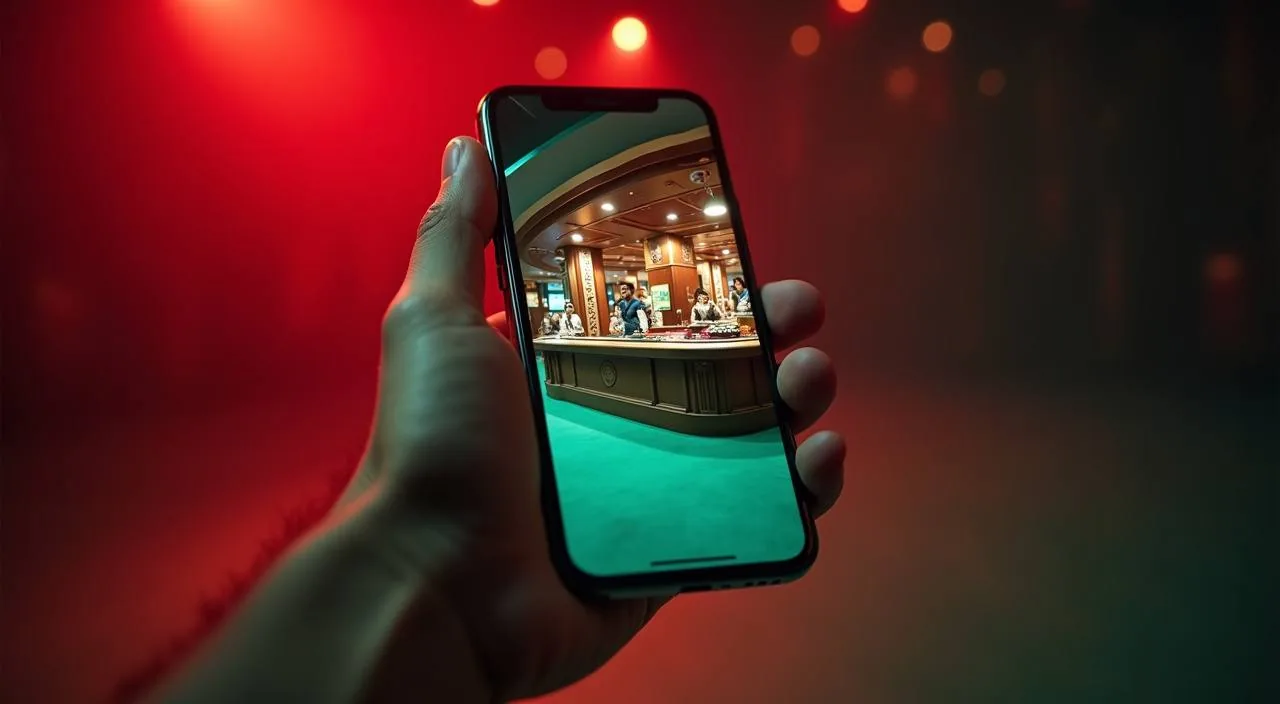
Full Lobby Access on Any Mobile Browser

77hp is built to work on your phone's browser without requiring a separate app download. Open the site in Chrome or any standard mobile browser, sign in with your account credentials, and the full lobby — sports markets, live tables and slots — loads in the same session.

  • Browser-Based Access

    No app download needed. Open 77hp in your mobile browser, sign in and reach the full lobby — sports, live casino and slots — in one session. The site is optimised for mobile screens so navigation stays clear on smaller displays.

  • Wallet on Mobile

    The Wallet tab functions identically on mobile. Select bKash, Nagad or Rocket, read the reference on screen, switch to your wallet app, complete the transfer and come back to check Transaction History. The whole deposit flow happens on the same device without a second screen.

  • Consistent Account Controls

    Account settings, transaction history, active positions and personal details are all accessible from the mobile menu. You do not lose any account management capability on a smaller screen — the same controls available on desktop are present in the mobile layout.
CONTENT / 03

Full Lobby Access on Any Mobile Browser

77hp is built to work on your phone's browser without requiring a separate app download. Open the site in Chrome or any standard mobile browser, sign in with your account credentials, and the full lobby — sports markets, live tables and slots — loads in the same session.

  • Browser-Based Access

    No app download needed. Open 77hp in your mobile browser, sign in and reach the full lobby — sports, live casino and slots — in one session. The site is optimised for mobile screens so navigation stays clear on smaller displays.

  • Wallet on Mobile

    The Wallet tab functions identically on mobile. Select bKash, Nagad or Rocket, read the reference on screen, switch to your wallet app, complete the transfer and come back to check Transaction History. The whole deposit flow happens on the same device without a second screen.

  • Consistent Account Controls

    Account settings, transaction history, active positions and personal details are all accessible from the mobile menu. You do not lose any account management capability on a smaller screen — the same controls available on desktop are present in the mobile layout.

TRUST / 03

How to Reach 77hp Support for Account and Wallet Questions

When a deposit does not reflect in your balance, or you have a question about a withdrawal status, the first step is to check Transaction History in your account — it shows the date, amount and current status of every payment.

  • Transaction History Check

    Before contacting support, open Transaction History in your account. Every deposit and withdrawal is logged there with its date, amount and status. Most payment questions — pending bKash deposits, Nagad transfer references, Rocket withdrawal states — are answered by the entry already in that log. Use the transaction ID from this screen when you do need to escalate.

  • Contact Support

    The published support route is in the Help or Contact section of the site. Have your account email and transaction reference ready when you reach out — it allows the support team to locate your account and the specific payment without back-and-forth. Account questions, wallet verification and lobby access issues are all handled through this channel.

  • Account Settings and Controls

    Personal details, password changes and wallet preferences are managed directly from the Account Settings menu after you sign in. If you need to update a registered bKash or Nagad number, or change account contact details, those fields are inside Settings. You do not need to contact support for routine account updates — the controls are available to you directly from the dashboard.

Learn more →
FEATURE BRIEF / 05

One Account That Moves Between Cricket and the Casino Floor

The account structure at 77hp is what makes the sports-to-casino flow practical. You fund once — through bKash, Nagad, Rocket or Bank Transfer — and that balance is immediately available in both the sportsbook and the casino lobby without any internal transfer step.

Game feature guide
  • Cricket to Casino in One Account

    Fund with bKash or Nagad before a match and the same balance carries into the casino lobby when the session ends. No separate casino wallet, no second deposit. The account balance display in the top bar reflects a single unified figure across sports and casino at all times.

  • Kabaddi and Football Markets

    Beyond cricket, the sportsbook includes kabaddi and football markets. Football Quickstrike in the games section reflects the football interest that runs alongside cricket for many accounts. Both sports categories share the same wallet, so switching between them in the sportsbook is as straightforward as navigating between sports and casino.

ACCOUNT DESK

Account information

Review current account information after signing in.

Login
TRUST / 03

Controls That Keep Your Account in Your Hands

Account controls at 77hp are built to be visible and accessible rather than buried in settings pages. Your balance, transaction history and account preferences are shown in the dashboard immediately after you sign in, not behind multiple menu layers.

  • Balance Visibility

    Your account balance is shown in the top bar of every page once you are signed in. It updates after each confirmed deposit or withdrawal, so you always know the current figure before placing a sports bet or opening a casino session. There is one balance for both sections — sports and casino draw from the same number.

  • Transaction Log

    Every deposit and withdrawal is recorded in Transaction History with a date, payment method, amount and status. This log is the first place to check when a bKash or Nagad payment has not yet reflected in your balance. If the status there shows completed but the balance has not updated, that is the specific detail to give support when you contact them.

  • Account Settings Access

    Personal details, password, and registered payment numbers are editable from Account Settings after sign-in. You do not need to go through support to update a Rocket number or change your contact email — the fields are directly accessible to you. Changes take effect immediately and are reflected in the wallet options on your next deposit.

  • Published Support Route

    The Help or Contact page on the site is the published channel for account queries. Whether the question is about a pending withdrawal, a information condition or an account access issue, this is where 77hp handles it. Having your transaction reference and account email ready before you contact support keeps the resolution process moving.

Learn more →
PLAYER INDEX / 07

Common Terms You Will See on the 77hp Platform

These are the terms that appear most often in the account dashboard, wallet section and lobby navigation. Understanding what each one refers to makes it easier to move through the platform confidently, especially on the first session.

Player guide and glossary
  • What is the Wallet tab?

    The Wallet tab is the section of your account where you initiate deposits and withdrawals. After signing in, it is accessible from the main account menu. Inside, you will find bKash, Nagad, Rocket and Bank Transfer listed with their current instructions, including the destination account number and the reference code you must include with your transfer.

  • What does Transaction History show?

    Transaction History is the log of every deposit and withdrawal processed on your account. Each entry records the date, payment method used, amount and current status. It is the first place to check if a deposit has not reflected in your balance. The status shown there — pending, completed or failed — is what the payment system has recorded for that transaction.

  • What is a reference code in a deposit?

    When you initiate a deposit via bKash, Nagad or Rocket, the on-screen instructions include a reference code. This code must be entered in the payment note or description field of your wallet app transfer. It links the incoming payment to your specific account. A deposit sent without the correct reference may take longer to be matched and reflected in your balance.

  • What does account balance mean in this context?

    Account balance is the single total of funds currently available in your 77hp account. It applies to both the sportsbook and the casino lobby — there is no separate balance for each section. When you fund via Nagad, that amount becomes your account balance and is immediately usable across sports markets and casino games without any internal transfer.

  • What is the difference between a deposit and a withdrawal?

    A deposit is funds you send into your 77hp account using bKash, Nagad, Rocket or Bank Transfer, which increases your account balance. A withdrawal is a request to send funds from your account balance back to your registered payment method. Both are initiated from the Wallet tab.

  • What does lobby mean when 77hp uses it?

    Lobby refers to the browsable catalogue of games and sports markets available inside your account. The casino lobby contains slots, live tables and crash games from Microgaming, Spadegaming, CQ9 and Pragmatic Play. The sports section of the lobby contains markets for cricket, football and kabaddi. You navigate to the lobby by selecting Casino or Sports from the main menu after signing in.

  • What is RTP and does 77hp show it?

    RTP stands for Return to Player and is a percentage figure representing the theoretical long-term return built into a slot or casino game. At 77hp, RTP figures are shown only where the game provider exposes that information inside the game interface itself.

Full glossary
EXPLORE FURTHER / 04

Explore detailed guides

Local lobby check

LOBBY / 02

One mobile lobby, distinct game areas

Live Cricket Blast Sports Live Cricket Blast Access → Sylhet Roulette Room Live Sylhet Roulette Room Access → Teen Patti Flash Slots Teen Patti Flash Access → Football Quickstrike Sports Football Quickstrike Access → Crash SpinWin Slots Crash SpinWin Access → Slot SpinWin Slots Slot SpinWin Access →
QUICK ANSWERS

Frequently asked questions

These are the questions that come up most often from accounts in Bangladesh — covering registration, payments, lobby access and the sports-to-casino account flow. If your question is not here, the Help section of the site is the right place to ask.

Read FAQ →
How do I deposit using bKash at 77hp?

Sign in to your account and open the Wallet tab. Select bKash from the payment options listed. The screen will show a destination bKash number and a reference code. Open your bKash app, send the amount to that number, and include the reference code in the payment note field.

Can I use Nagad to withdraw from my account?

Yes. Nagad is available for withdrawals through the Wallet tab. Select Nagad under the withdrawal option, enter the amount and your registered Nagad number as shown in the form, and submit the request. The status of the withdrawal appears in Transaction History.

Is a separate casino account needed for slots and live tables?

No. Your 77hp account covers both the sportsbook and the casino lobby. The same account balance you use for cricket or football betting is what you use in the casino section. Navigate from Sports to Casino using the main menu and your balance carries over automatically.

Which sports markets are available at 77hp?

Cricket is the primary sports category, covering international matches and formats that Bangladesh players follow closely, including BPL and international series. Football and kabaddi markets are also available.

Which game studios supply the casino lobby?

The casino lobby draws content from four studios: Microgaming, Spadegaming, CQ9 and Pragmatic Play. These studios supply slot titles, crash games and live dealer tables. You can filter by studio in the lobby after signing in. The studios provide game content only — your account, wallet and transactions are handled separately within 77hp's own platform and are not the responsibility of the studios.

What should I do if my Rocket deposit is not showing in my balance?

First, open Transaction History in your account to check the status listed for that deposit. If it shows as pending, the payment may still be processing. If it shows as completed but your balance has not updated, note the transaction ID and contact support through the Help section of the site.

Do I need to download an app to access 77hp on mobile?

No app download is needed. The full 77hp lobby, including sports markets, casino games and the Wallet tab, is accessible through your mobile browser. Open the site in Chrome or any standard browser on your phone, sign in and the layout adapts to your screen.

How does 77hp handle account access for Bangladesh?

77hp is accessible in supported regions of Bangladesh subject to local law and eligibility. Account registration and all wallet functions — bKash, Nagad, Rocket and Bank Transfer — are designed around the payment infrastructure that Bangladesh accounts use.

READY WHEN YOU ARE

77hp game lobby

Access may be available only where local law permits.

Register Login