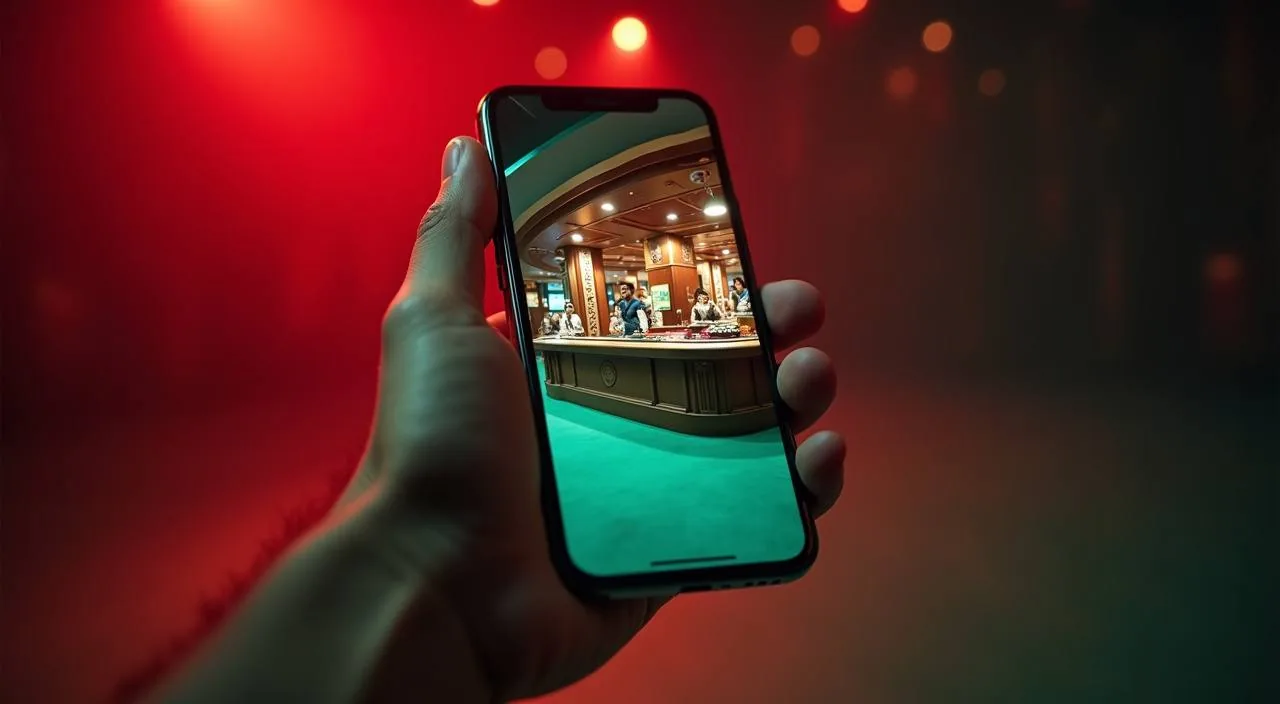
The 77hp site is built to run in your mobile browser, so you reach cricket markets, live tables and slot rooms from the same account without installing anything from a store. Check the current domain for the latest availability guidance relevant to your region.
When you open 77hp in a mobile browser, the layout shifts to a single-column view designed for smaller screens.
BROWSER FEATURE SNAPSHOT
Mobile Access Features Worth Knowing
These are the four behaviours you can verify directly in your mobile browser session on 77hp. Each reflects what the responsive site delivers rather than a claimed native app capability. Open the site on your device and check each one against what you see on screen.
Responsive Layout
The 77hp page reflows automatically for portrait and landscape orientations. Category tabs, game rows and account menus resize to fit the screen without requiring a separate mobile URL or manual zoom. Verify this by rotating your device inside an active session.
Account Route on Mobile
Your wallet balance, deposit history and withdrawal records are visible in the account section from the mobile menu. No desktop switch is needed to review a transaction or check a pending status. The same fields and limits shown on desktop appear on mobile.
Game Category Navigation
Sports, live casino and slots are separated into distinct tabs in the mobile lobby. Switching between Football Quickstrike markets and a live table session, for example, uses the tab row rather than a page reload. Category filters carry over without resetting your position.
Help Pages in Browser
Support pages, account FAQ entries and the published contact route are all accessible within the mobile browser without redirecting to a desktop view. If you run into a login issue or a display problem, the help section is reachable from the same session.
THREE ACCESS STEPS
Mobile Access in 3 Steps
Getting into the 77hp mobile site takes three straightforward steps, all inside your phone's browser. There is no APK to sideload, no app store listing to search, and no separate download flow to follow.
Open the Current Site
Type the verified 77hp domain directly into your mobile browser's address bar. Do not use a saved link that you have not recently checked — domains can update. The current address is published on the brand's official communication channels.
Check Browser Compatibility
77hp's mobile layout works in up-to-date versions of Chrome and Safari on Android and iOS devices. If the page layout appears broken or tabs do not respond, try clearing your browser cache or switching to a current browser version before contacting support.
Sign In Securely
Enter your registered account credentials on the login page. Avoid saving your password in shared or public devices. After login, your wallet balance and the full lobby appear in the same mobile view — no second login or device verification step is normally required.
Verify Your Account Region
Access and feature availability depend on your local law and eligible region. If certain sections are restricted after login, check the account notice shown on your dashboard or contact support through the published help route for region-specific guidance.
DEVICE COMPATIBILITY CHECK
Which Devices and Browsers Work with 77hp
Compatibility covers the browser environment and account state rather than specific hardware models. Use the checklist below to confirm your setup before starting a session on 77hp from a mobile device.
Browser Version
An up-to-date browser is the single most reliable compatibility step. Chrome and Safari current releases handle the 77hp responsive layout without known rendering issues. Older browser versions may display layout gaps or unresponsive tabs.
Screen Layout
The 77hp mobile layout is designed for screens from mid-size phones upward. Very small screens may compress the tab row, but all core sections remain navigable. Rotating to landscape can give more horizontal space for game rows and live table displays.
Account Requirements
A registered and verified 77hp account is required to access the lobby on mobile. Without login, only the public-facing pages load. Ensure your account email and password are confirmed before your first mobile session.
Network Connection
A stable mobile data or Wi-Fi connection is needed for live casino tables and sports market streams to load without interruption. If a game or market does not load, check signal strength before assuming a site issue.
Currently Supported Devices
For the most accurate list of supported device types and operating system versions, check the compatibility or help section published in the 77hp account area. This list updates with the site and reflects current testing rather than historical claims.
MOBILE HELP ROUTES
Getting Help When You Are on Mobile
If something does not load correctly or your account behaves unexpectedly on mobile, use one of the three help paths below. Each route is accessible from within the mobile browser session itself, so you do not need to switch devices to get an answer.
In-Site Help Pages
The help section inside the 77hp mobile site covers account login issues, wallet queries and game loading problems.
Account Dashboard Notices
When 77hp publishes a service notice or region-specific update, it appears in the account dashboard after you log in on mobile. Check the notification area in your account before reaching out to support — many access questions are answered by a current dashboard notice.
Published Contact Route
For issues that the help pages do not resolve, use the contact method listed in the 77hp support section. The published route is the verified channel for account recovery, display problems and region access questions. Do not use unverified third-party contact details.
ACCESS TRUST CHECKS
Keeping Your 77hp Mobile Session Safe
Mobile access carries the same account security responsibilities as desktop. These four checks are practical steps you can take every session, drawn from the guidance published in the 77hp account and help sections.
Verify the Current Domain
Before entering credentials, confirm the URL in your browser's address bar matches the current 77hp domain. Phishing pages copy site layouts but cannot replicate the exact verified domain. Cross-check against the domain published in 77hp's official communications.
Review Published Device Guidance
77hp's help section includes device and browser guidance that reflects current site behaviour. Reading it before your first mobile session saves time and confirms whether your specific setup is covered. Check it again after major browser or OS updates.
Protect Your Account Credentials
Use a password that is unique to your 77hp account and not shared with other services. Avoid saving login details in shared devices or public browsers. If you suspect your credentials have been exposed, use the account recovery path published in the help section immediately.
Use the Published Recovery Path
If you lose access to your account on mobile — whether through a forgotten password or a locked session — follow only the recovery steps shown in the 77hp login page or help section. Third-party recovery services are not part of the published process and should not be used.
APP QUESTIONS ANSWERED
Frequently Asked Questions About the 77hp App
These questions come from mobile users checking how the 77hp site works on their devices. Each answer is based on the current published site behaviour and account guidance rather than assumed native app capabilities.
Is there a 77hp app available on the Google Play Store or Apple App Store?
A listing on Google Play or the Apple App Store has not been confirmed for the current 77hp site. Access is through the mobile browser using the verified domain. Check the 77hp help section or your account dashboard for any app availability announcements relevant to your region.
Can I access my 77hp account wallet on mobile, including deposit history?
Yes. After logging in through the mobile browser, your account wallet, deposit history and withdrawal records are accessible from the account menu. The same balance and transaction details shown on desktop appear in the mobile view without any separate login.
Do I need to download an APK file to use 77hp on Android?
No APK download is part of the current published 77hp access method. The site runs in your Android browser directly. If you encounter a page or message asking you to download an APK file, verify that it is from the official 77hp domain before proceeding.
Which games can I reach from the 77hp mobile browser session?
The full lobby is accessible after login, including sports markets, live casino tables and slots. Games like Crash SpinWin, Teen Patti Flash and Football Quickstrike are navigable through the category tabs in the mobile lobby without switching devices or sections.
What should I do if the 77hp mobile site does not load correctly on my phone?
Start by clearing your browser cache and confirming you are using a current version of Chrome or Safari. If the issue continues, check the 77hp help section from another device or contact the published support route with details of your browser version and the specific display problem.
Does the 77hp mobile site support bKash or Rocket transactions from a phone?
The account wallet and payment section are accessible through the mobile browser. bKash, Rocket and Bank Transfer are the verified payment rails on 77hp. Check the payment section of your account for the current fields, limits and instructions shown there for mobile-initiated transactions.
 Live / Slots